A tiny cute animal saves links, notes, and tab sessions for you. Use the web app on any browser, or install the Chrome extension to save with one click — same account, one pet, everything synced.
Sign in on any browser. Access every link, note, session, and reminder you've ever saved. No install needed.
Open web app →Your pet lives on every page. One click saves the page you're on — no tab switch, no friction.
Install for Chrome →Three steps. Then your pet takes care of the rest.
One click. No card, no password, no setup. You're in.
Install the Chrome extension to save with one click while browsing, or paste URLs right here on the web.
Everything you save shows up on every browser you sign into. Phone, laptop, work, home.
10 free companions and 5 themes. Explore four more companions and five illustrated auras with Pocket Pet Plus.








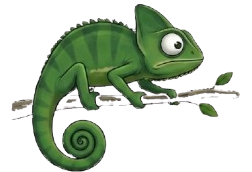
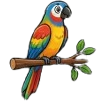


Designed for how you actually browse.
Save all 12 tabs of your research project at once. Restore them tomorrow with one click.
"Remind me to read this tomorrow." Your pet delivers the nudge when the time comes.
Chrome extension saves instantly. Web app works on Safari, Firefox, mobile. Same account everywhere.
Choose from 10 free companions and 5 themes. Pocket Pet Plus adds Chameleon, Bird, classic Fox, Axolotl and all five illustrated auras for $9.99 once.
Links, notes, sessions, reminders, cloud sync and 10 companions are free. Optional Pocket Pet Plus adds four companions and five auras for $9.99 USD once, with applicable tax shown at checkout. Sign-in is needed for sync or purchases, not for local use.
Saving captures page titles, URLs and favicons; granted tabs permission also enables local session snapshots. Optional sign-in syncs saved content and activity signals. Error reports are sent even when signed out. See our privacy policy.
No. The extension works fully offline, storing everything in your browser. Sign in only if you want your saved links, notes, sessions and reminders to follow you to other devices via the web app.
Yes — open getpocketpet.com on iOS Safari or Android Chrome and install it as an app to your home screen. You'll have the same library, instant sync with the extension, and you can share any link straight in from your browser's share menu.
Chrome, Edge, Brave, Opera, and any other Chromium-based browser. Firefox and Safari don't support the extension yet, but the web app works everywhere — sign in at getpocketpet.com to use Pocket Pet from any browser.
Chrome bookmarks are a hidden bar with nested folders. Pocket Pet sits visibly on every page so saved links are one click away — no menus, no folders, no Ctrl+D. It also handles full tab sessions, notes, and reminders, which Chrome bookmarks can't.
Start free. No card required. Optional Plus companions and auras, no subscription.
Or install the Chrome extension first