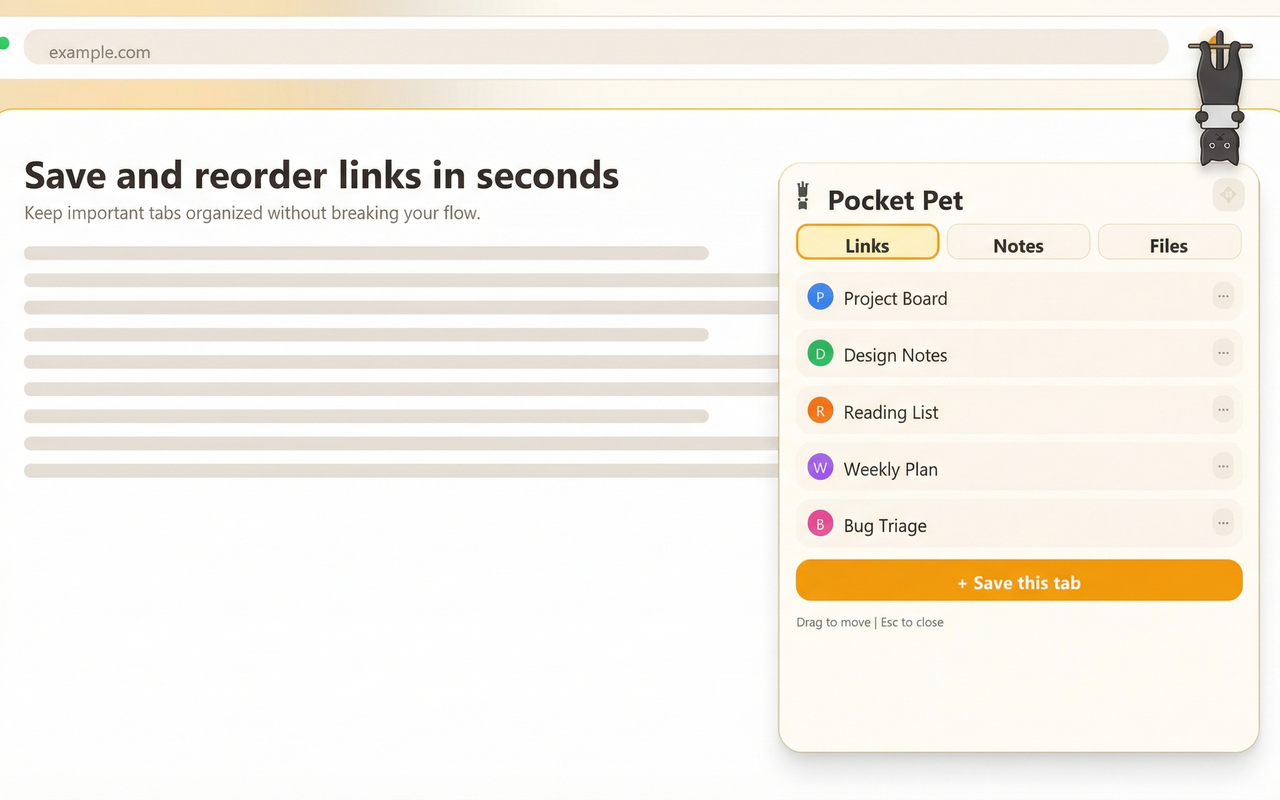
Chrome's bookmarks bar gets messy fast. Folders get nested. Things get lost. Pocket Pet keeps your most important links visible and accessible — right where you browse.
Try Pocket Pet FreeMost bookmark tools fail because they add friction. The best ones remove it.
The pet is always visible. Click once to save the page. No keyboard shortcut to remember, no popup to navigate, no folder to choose.
Your saved links are one click away on every page. Not buried in a menu, not hidden behind Ctrl+D. Just click the pet.
Save links without leaving the page you're on. No new tab opens, no workflow interrupted. Save and keep reading.
One click from the Chrome Web Store. A friendly pet appears in the corner of every page.
Click the pet to open the bubble. Hit "Save this page" and the current page is added with its title and favicon.
Your saved links are visible on every page. Click any link to open it. Reorder, delete, or manage from the same bubble.
Jot notes alongside your bookmarks. Drop files into the bubble for quick access. Everything in one tiny companion.
A bookmark manager that fits in the corner of your screen. Free, private, and always there.
Add to Browser — It's Free